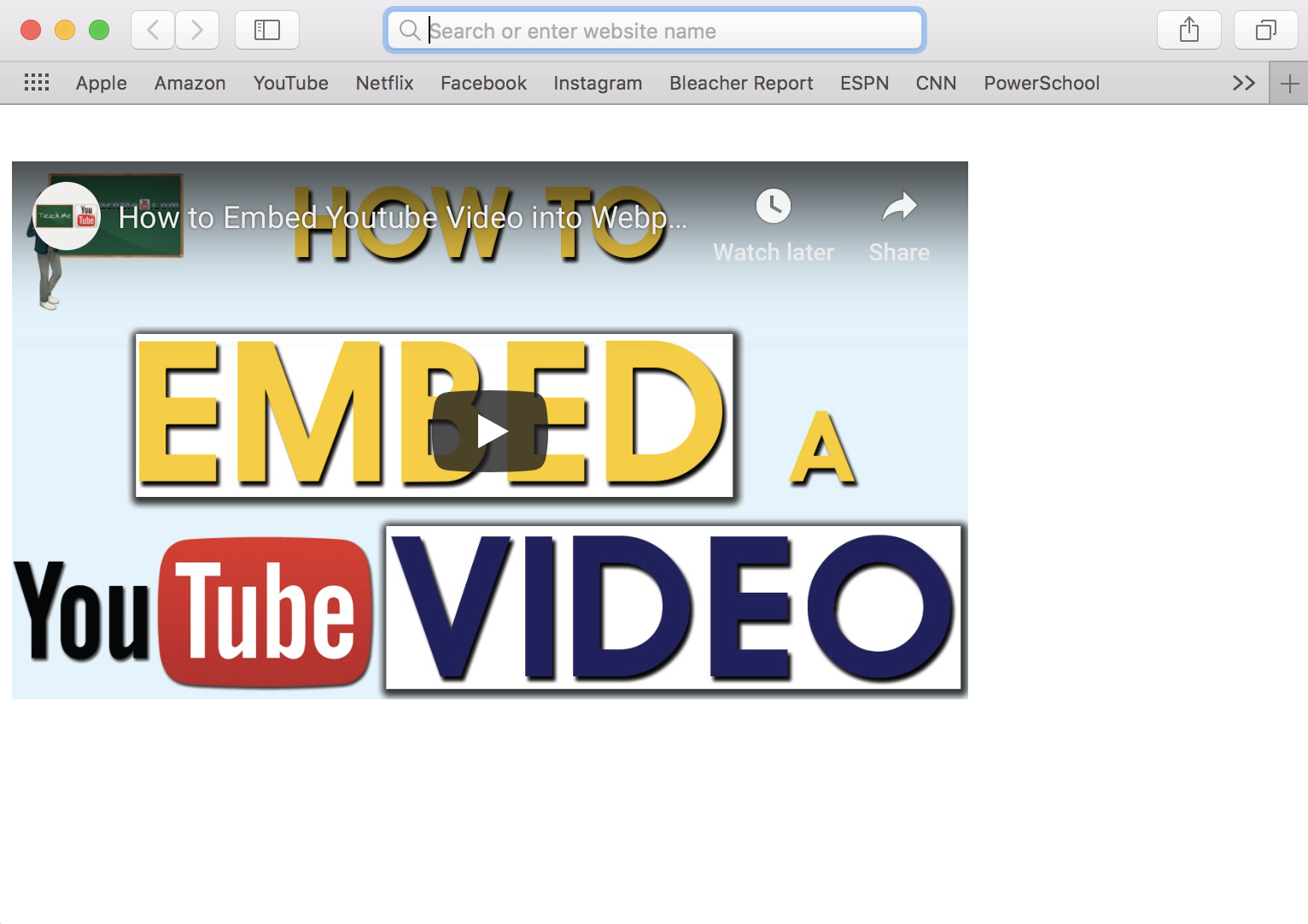
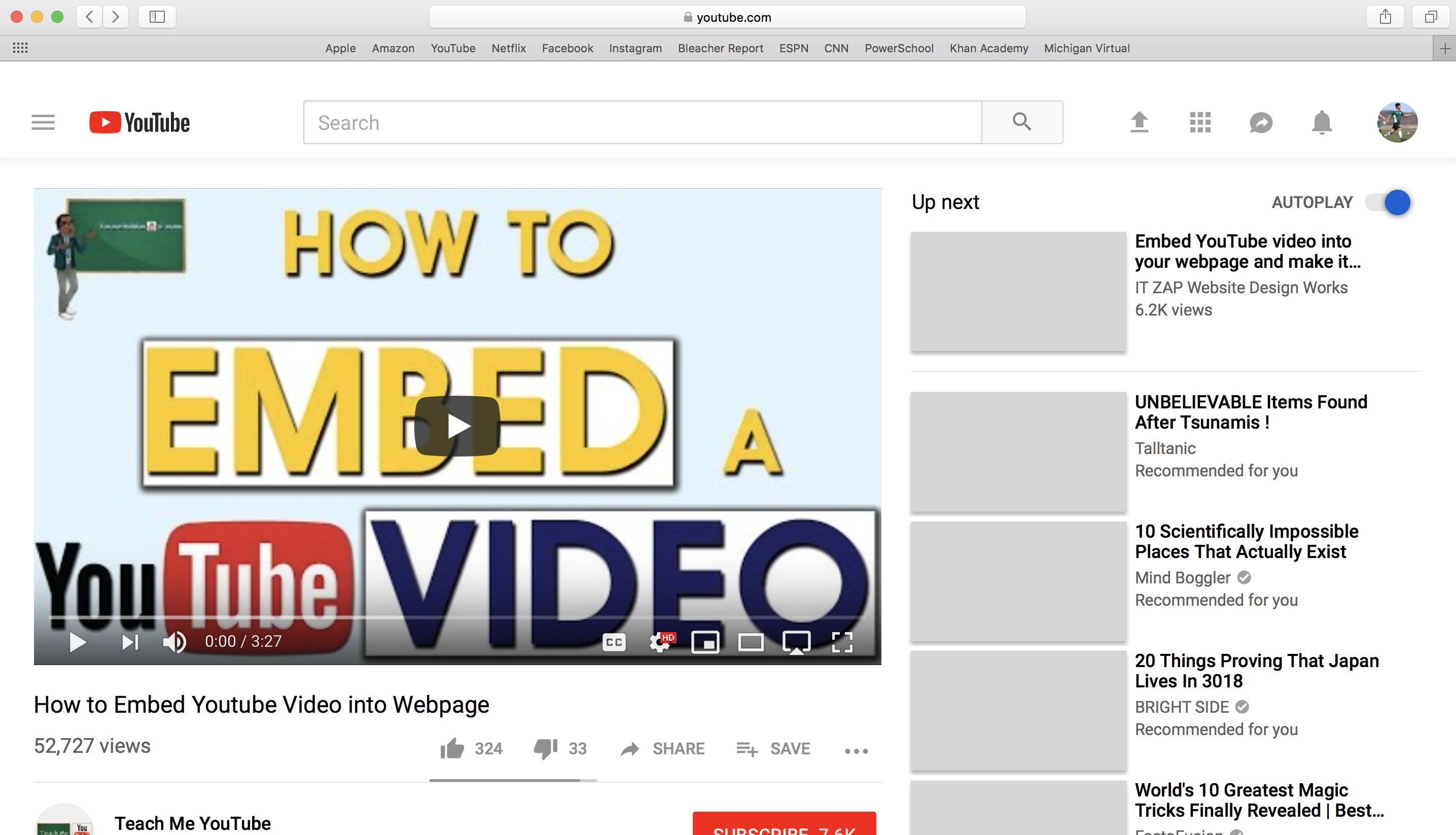
Step 1: Using a computer, locate the YouTube video you want to embed into your webpage.
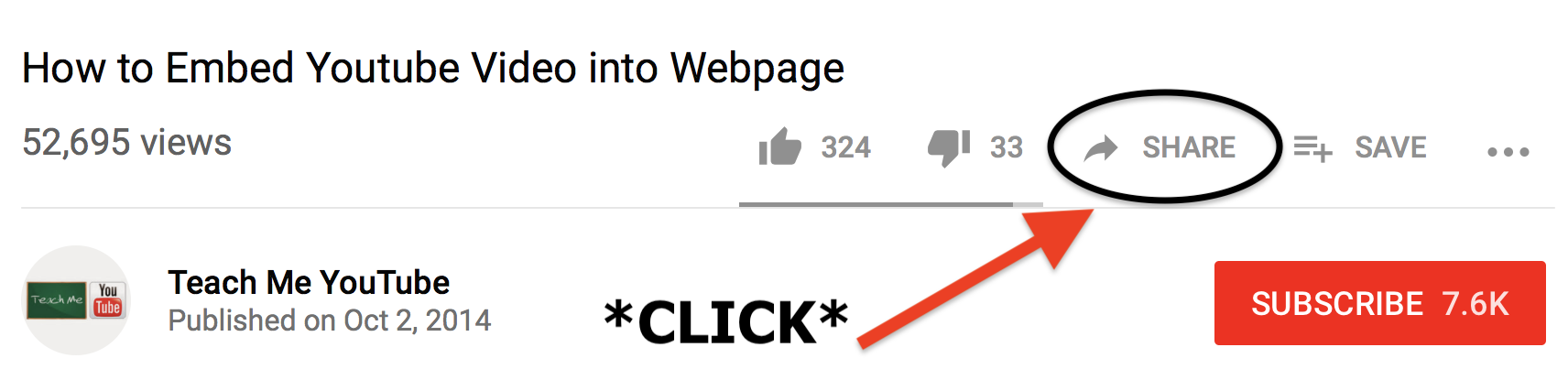
Step 2: Click the button labeled "SHARE" which is located under the video.
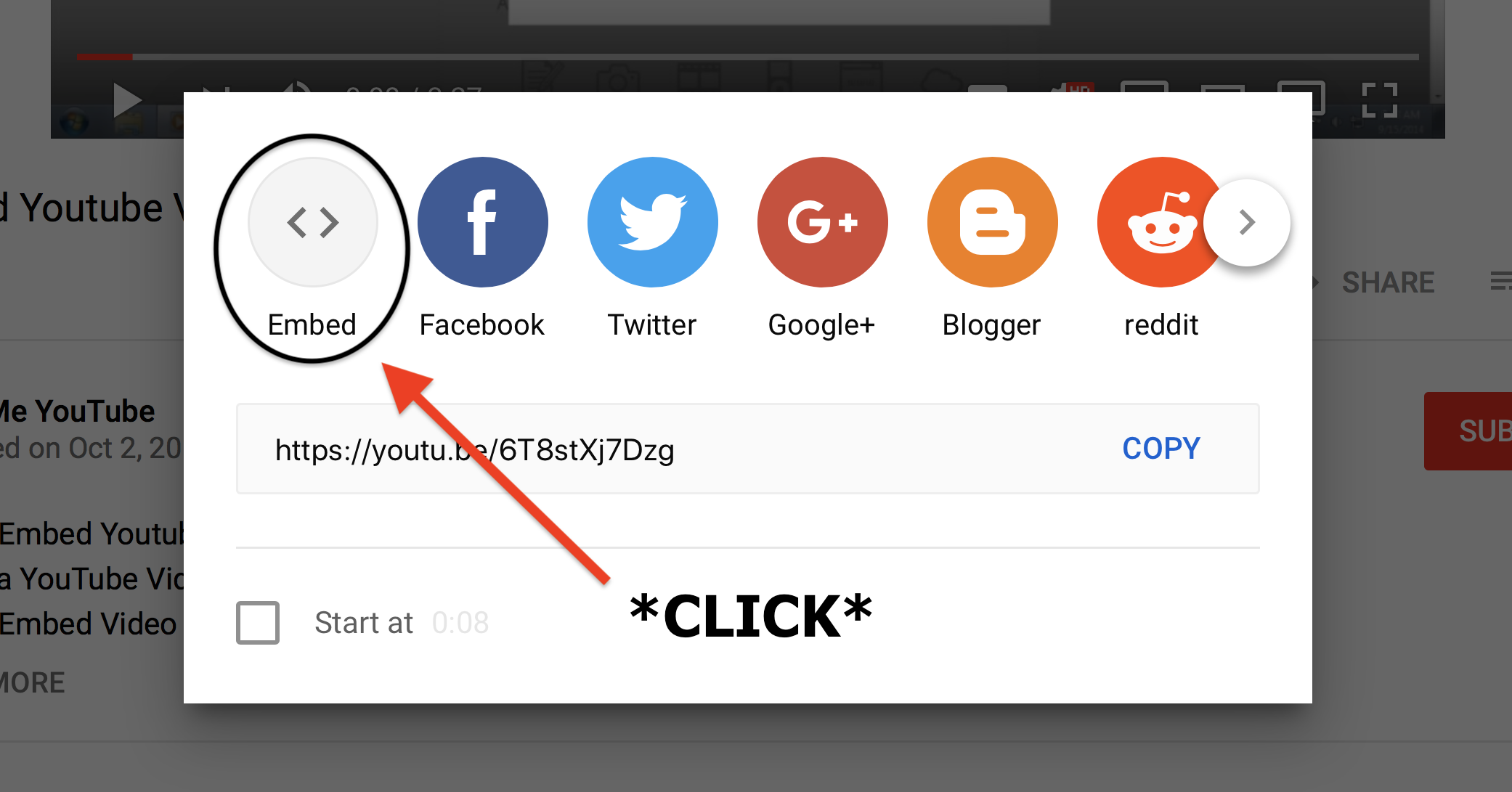
Step 3: Click the button labeled "EMBED" to show the code.
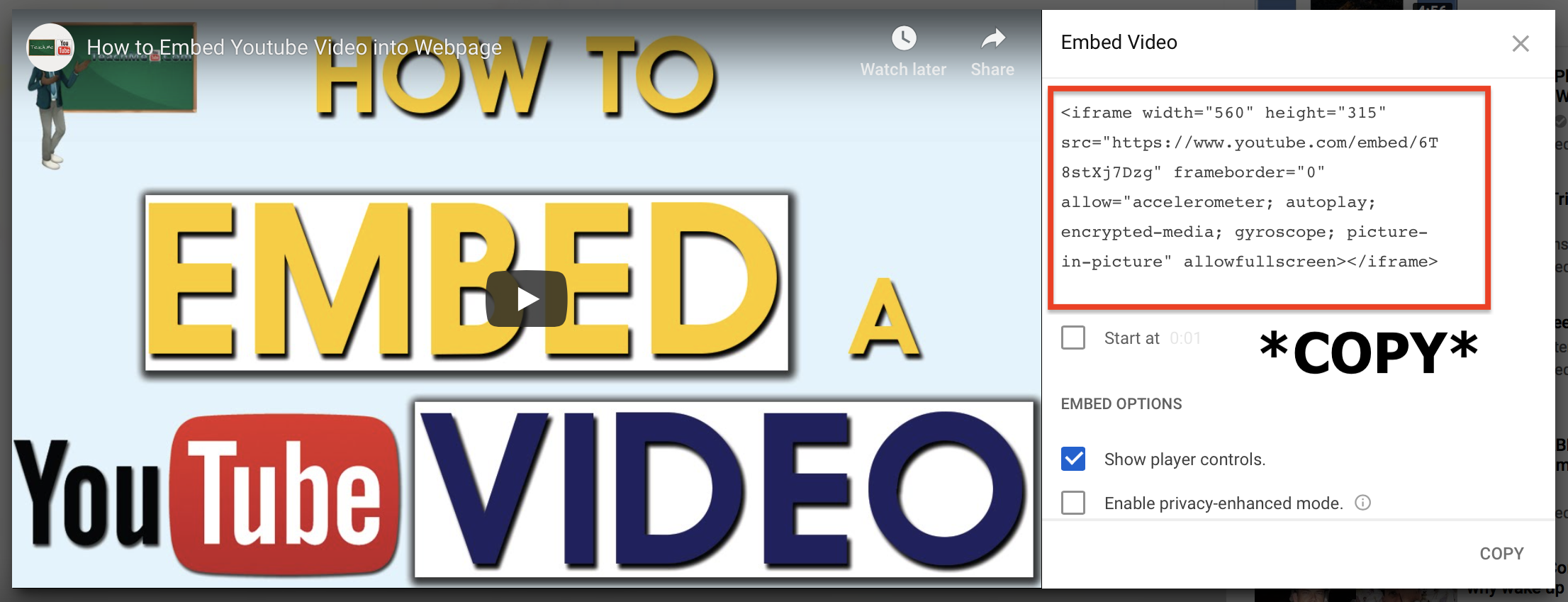
Step 4: A box should appear and you want to copy the HTML code. Right-click and select copy or hold COMMAND + C (MAC).
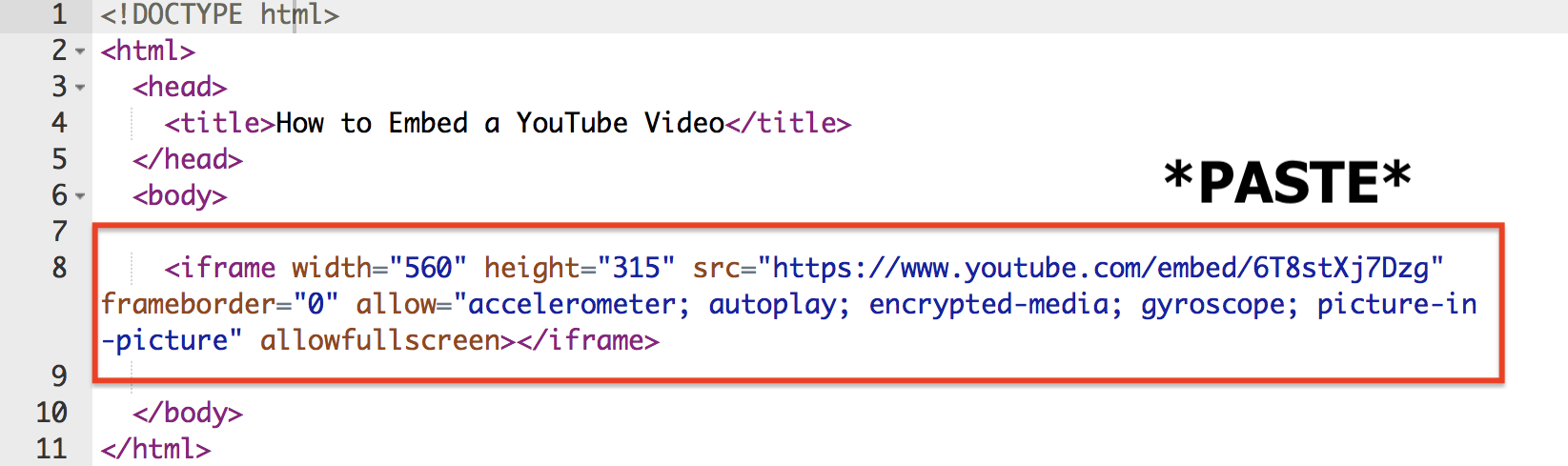
Step 5: Paste the code into your website HTML. Right-click and select paste or hold COMMAND + V (MAC).
Step 6: The video should now be added into the webpage.